March 10th, 2026

A fresh new look for myWorksites. Release 10.0.0
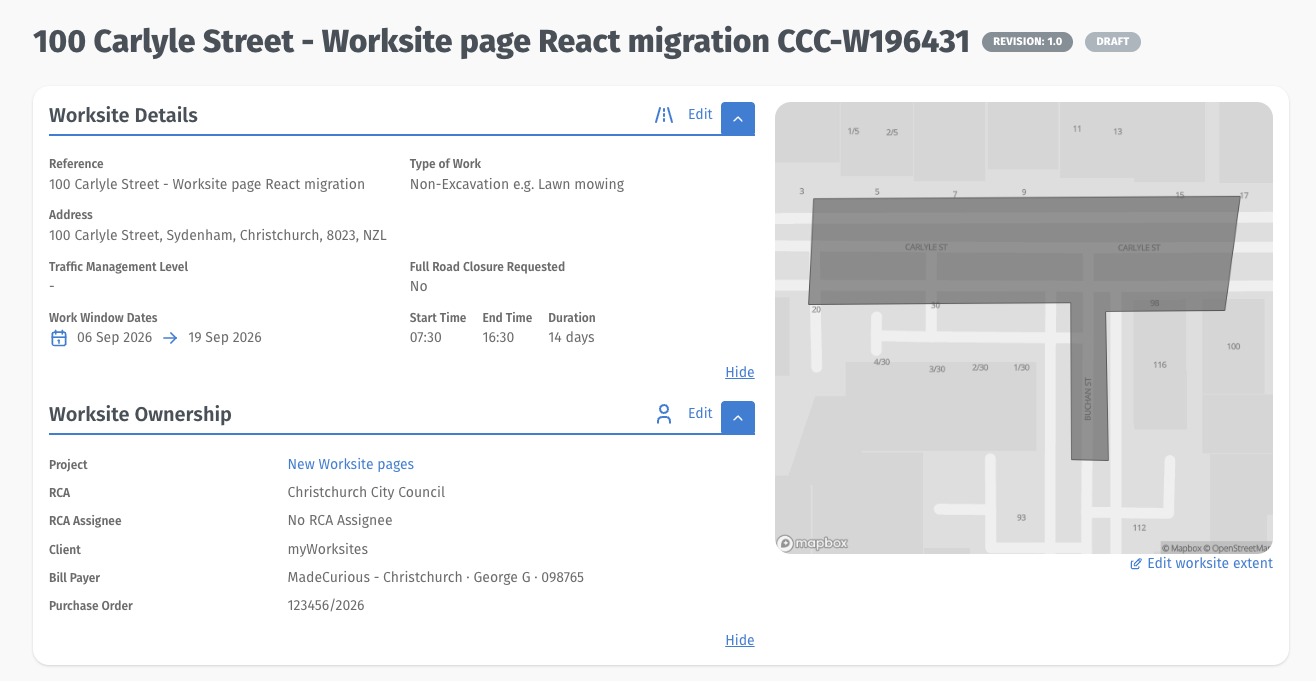
This release delivered a visual refresh across the entire platform — updated colours, new fonts, restyled buttons, and a cleaner layout throughout.
This update focussed only on styling changes. Everything works exactly as it did before — all features, workflows, buttons, and navigation are in the same place. Nothing has moved.
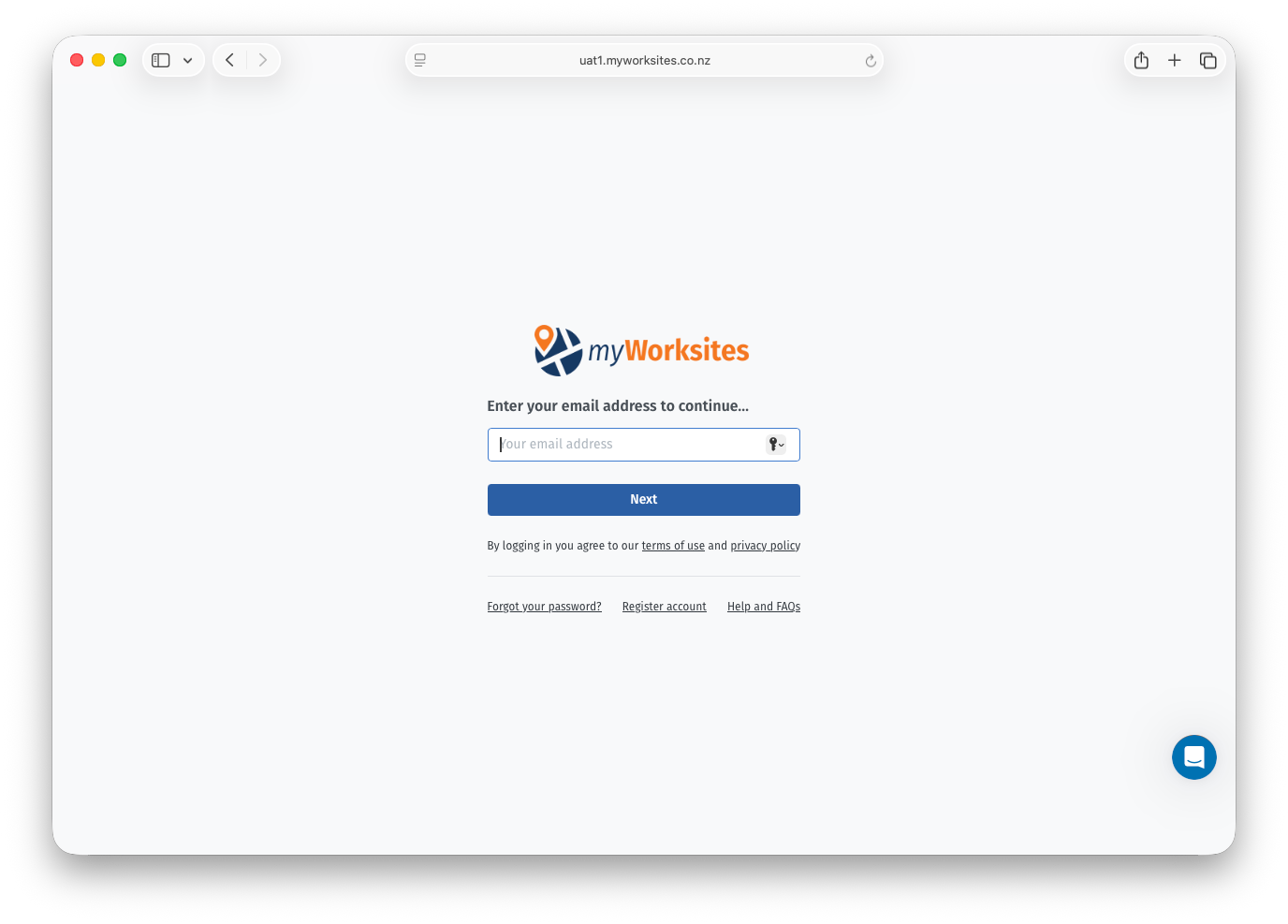
The platform has a new primary blue — softer and more considered than before — applied consistently across all parts of the system. Notably, the login screen has moved from a dark blue background to a light grey, giving it a cleaner, more open feel as your entry point into the platform.

Fonts and button styles have been updated and are now consistent across the platform. Buttons are sized appropriately to their context — action bar buttons, form buttons, and inline buttons each have a defined, consistent style.

The navigation bar has been restyled, and on smaller screens it now collapses to a burger menu.
System-generated emails — notifications, approvals, work completion notices — have been restyled to match the new visual identity.
Map buttons are now solid rather than transparent, making them easier to read against map backgrounds. Table layouts and empty states have been tidied up across the platform for consistency.
March 4th, 2026
Product updates for myWorksites. Release 9.3.0
This release delivers a significant update to the "Assurance checks" module (previously Audits), including a module rename, removal of long form audits, expanded Worksite-level checking, workflow improvements, and updates to the reports table and generated PDF.
The streamlined approach of Assurance Checks helps RCAs and their staff fulfil their compliance role more effectively — ensuring traffic management meets the required standards and keeping everyone safe on the road.
Centralized audit trail — Reviews link directly to the TMP or Worksite, keeping compliance history in one place.
Streamlined workflow — A guided multi-page form makes reviews straightforward, and abandoned checks can be retrieved and continued later.
Automatic documentation and notifications — Completed reviews generate a PDF, post as comments on the linked record, and trigger email alerts to keep everyone informed.
Clear lifecycle tracking — System notifications help auditors understand where checks are at, with clear recording of started and completed reviews.
Comprehensive reporting — Filter and export assurance check data for analysis and record-keeping.
The Audits module has been renamed to Assurance checks, reflecting the terminology used in the current NZ Guide. Individual reviews within the module are referred to as Assurance checks, or ACs.
Long form TTM audits are no longer required under the updated NZ Guide and have been removed from the system. All Assurance checks now follow the short form process. The 'Create assurance check'-page has been redesigned to reflect this — removing the previous two-card layout and presenting a single, simplified entry point.

A “Create assurance check” button is now available in the action bar on TMP and Worksite overview pages for users with the Auditor role. Selecting the button navigates directly to the Create Assurance Check workflow with the relevant record pre-selected, removing the need to navigate to the module separately and search for the record.
Assurance Checks can now be created against Worksites as well as TMPs. This applies to CAR and EAR Worksites where no TMP exists, and to Global Permits regardless of whether TMPs exist. Where a Worksite has an associated TMP, the system directs the auditor to conduct the check at the TMP level.
When a TMP or Worksite is selected on the Create Assurance Check page, the system checks whether an Assurance Check already exists for that record. If a check is in progress and was started recently, a notification is displayed. If the check has exceeded the staleness threshold — indicating that enough time has passed that site conditions may have changed since the on-site assessment — an enhanced warning is displayed, including the date and time the check was originally created.
In both cases, the auditor is presented with the option to continue the existing check or discard it and begin a new one. The staleness threshold is configurable per RCA, with a default of 24 hours. In-progress Assurance Checks can also be opened and continued directly from the reports table.
Only one Assurance Check can be in progress for any given TMP or Worksite at a time. Automatic discard of stale checks was considered but not implemented — the decision to discard remains with the auditor to avoid unintended loss of work.
When an auditor chooses to abandon an in-progress check and start a new one, the original is assigned a Discarded status. Discarded checks are retained in the system as read-only records for audit trail purposes but cannot be re-opened and do not generate a completion PDF. Discarding is a permanent action.
Access to an Assurance Check is determined by its status. In-progress checks open in the editable workflow. Completed checks can be accessed as a PDF or as a read-only view of the form in a layout that mirrors the original workflow. Discarded checks are accessible as a read-only view only. Links to the relevant access options for each check are available from the reports table.
The Assurance Checks reports table has been updated with additional columns, including auditor name, audit code, submitted date, status, and links to the check or its PDF. Columns can be toggled on or off by the user, with a default set displayed on first use. The CSV export has been updated to include G-check justifications and correctly formatted date and time values.
The “Site Fixed?” field on the Final Result page now supports three values: Yes, No, and Not Applicable. The generated PDF now includes the Worksite ID or TMP ID (as applicable) and the Audit Code, with correctly formatted dates and times. G-check justifications are displayed beneath each relevant question in the PDF. Terminology and section labelling have been updated throughout to reflect the current NZ Guide language.
February 24th, 2026
Product updates for myWorksites. Releases MWS-9.2.8, 9.2.9, 9.2.10, 9.2.11, 9.2.12 (Hotfix), and 9.2.13
QA reviews can now be created for Worksites (incl Global Permits) in addition to TMPs, allowing auditors to record assessments even when no TMP exists
QA search page updated to display both Worksites and TMPs with enhanced search result information
Stale QA review warnings — auditors are now alerted when continuing a review created beyond a configurable time threshold (e.g., 4 hours for CCC, 24 hours default), helping ensure audit data reflects current site conditions
Improved "Discard QA review" — now properly marks the review as "Discarded" and read-only, rather than just returning to the start of the workflow
The EAR form's conditional logic is now customisable per Road Controlling Authority
Regional RCAs such as MDC now have their own tailored questions and decision tree logic (previously only implemented correctly for NZTA)
Improvements to consistency for displaying the EAR Review Reason section and EAR history
Resolved an incorrect popup message that appeared when form validation failed during a QA review
Addressed a pagination issue on the QA search results page
Corrected an issue with exporting QA search results
Eliminated a problem where CC recipients were not being included in QA notification emails (Hotfix)
Increased the timeout duration for downloading large PDF files
February 24th, 2026
Product updates for myWorksites. Releases 9.2.3, 9.2.4, 9.2.5, 9.2.6 and 9.2.7
New features for Reviews:
Added functionality to invite users to a Review for collaboration and information gathering (includes inviting stakeholders who are not currently myWorksites users)
Added functionality to allow Reviewers to add an Organisation and manage all added Organisations on an existing Review
Extended permissions for users in the Project Team to 'In progress' Reviews
Added a new 'Completion reason' so users can set a Review to 'Escalation required'
Additional data fields were added to the Review process, specifically to support Auckland Transport's work on Arterials
Functionality to 'Assign' a RCA user to a Review
Added 'Area' attribute to the Review (equivalent to the AT Worksite Area if in Auckland region)
New and extended features for EARs:
EAR Impact score added to the TMP Processing queue and to TMP Search
Updated UI on the EAR completion modal
New features:
Updated all NZTA worksites where the Application Type was set to 'Worksite' to an 'Early Access Request' to enable future revisions. Further information on the conversion can be found here.
Audit G checks require a justification to be entered by Auditor for specific assessment outcomes
Enabling audits on multi-RCA TMPs
Renamed 'Audits' to 'Quality assurance' and 'Quality Assurance reviews'
Added functionality so that the system will auto-generate and display unique IDs for 'Quality Assurance reviews'
Removed the Score and Rating fields from the Quality assurance workflow
Updated the logic for the secondary approval workflow for TMPs where cross-RCA approval is required
Bug fixes:
Improved functionality for displaying and updating the extent of a region on a Global Permit
Fixed reliability of clashes displayed on the Coordination map
Resolved a problem with revisions of EARs not creating a new Review process
Fixed a bug where EAR application details were not displaying correctly
Updated the 'EAR endorsed' email template
Further performance improvements for all users to minimise lag and loading times
Fixed an issue where selecting an Organisation when creating an account did not display required details
Fixed a bug where the email invitations for new RCA users displayed the council name as Organisation (and not as Road Controlling Authority)
Resolved an issue where TMPs did not display under a Global Permit until state changed to 'Accepted'
February 24th, 2026
Product updates for myWorksites. Releases 9.1.1, 9.1.2, 9.2.1 and 9.2.2
New features:
In addition to the Clash coordination text box - clashes or overlaps between worksites can now be viewed and resolved in a map view. Further details on the Coordination map view are available here.
Implemented a new permission to provide granularity for RCA users reviewing Early Access Requests (EARs) and other application types.
EAR review title changes
TMP processing time reports enhancements for single jurisdiction applications
Enabled EAR applications to Marlborough DC (as RCA)
Turned EAR Review Worksite column link to hyperlink (impact for RCA reviewers only)
Ensure that the preview of the regional thumbnail for Global Permits is updating correctly where an applicant users is changing the region while the application is in draft state
Bug fixes:
Fixed the wording for EAR emails
Added the EAR impact data to the Review dashboard (impact on RCA users only)
Resolved a bug where applications could have no application type set
Cleaning up functionality to ensure that resolution notes for Bus stops and Bus routes have no 'Affected party' field
Ensuring that EAR reviews cannot be re-opened
Removed the 'Requested' tab from the EAR review dashboard (impact on RCA users only)
Investigated and resolved instances where the speed limit was not auto-determined and displayed to applicant users on EAR applications
Fixed an issue where EAR details were not displaying on the correct application
February 24th, 2026
Product updates for myWorksites. Releases 9.0.19, 9.0.20, 9.0.21 and 9.0.22
New features:
Added "RCA-wide" as possible option for Jurisdiction Area for Global Permits submitted to NZTA
Re-ordered the NZTA Jurisdiction Area dropdown menu to show "RCA-wide" at the top, followed by all regions in alphabetical order
Displaying "Application Type" on Worksite tables to allow users to easily differentiate between Global Permit and Worksite applications, as well as Early Access Requests (coming soon). The addition was made to the following tables:
Draft & Published Worksites
Submitted & Declined Worksites
Accepted Worksites
Improved the loading speed for rendering the Reviews Dashboard (Functionality is only visible to RCA Users) and added a loading spinner
Additional information displayed for users with Status "Pending approval". They will see relevant information when logging in to understand the process and see their Company's Administrator's name(s) displayed
Bug fixes:
Fixed a bug that impacted the scheduling of Fees set in the Billing Manager module
Fixed an issue during the creation of Utility, Private company and Government agencies
NZBN search is now implemented and functional for Utility, Private company and Government agencies
Preventing Users from merging companies when different Customer Numbers for a single Jurisdiction exist. Error messages now being more descriptive and alerting the specific issue.
Fixed a problem with the TMP Processing Queue for RCA processing users were not seeing their assigned TMPs in some TMP Queues after having been assigned the TMP for processing as secondary RCA.
Re-instated TMP History comments on applicant users' views.
Fixed Email subject lines to ensure they are displaying Worksite State and ID numbers
Additional functionality to ensure Reviews are read-only when in Status "Completed" or "Requested"
February 24th, 2026
Product updates for myWorksites. Releases 9.1.0
Early Access Requests (EAR) are a special feature developed for the NZ Transport Agency (NZTA).
The Early Access Request process has some similarities to the Workflow creation and submission workflow. But is a bespoke development with unique functionality to allow NZTA to capture specific information about the proposed activity ahead of the works being undertaken.
User specific instructions and descriptions can be found here:
RCA users at NZTA can process the application and may "Endorse" the proposals or require further information on the activity.
Conditional logic is embedded into the process to support users to understand whether a Network Access ID (e.g. CAR ID, ATWOSH or other permit) needs to be obtained.
Based on information entered by applicants, the system will also auto-generate an Impact Score.
All of this information is feeding into the auto-generated emails back to the applicant at the submission and the processing stages.
Early Access Requests, when published, will also be visible on the Planning Map. Overlaps between EARs and other works are also being considered and displayed in the "Worksite and TMP coordination" feature to allow for improved coordination between road users to take place.
February 24th, 2026
Product updates for myWorksites. Releases 9.0.12, 9.0.13, 9.0.14, 9.0.15, 9.0.16, 9.0.17 and 9.0.18.
New features:
All Regions are enabled on the Planning Map
Marlborough Roads (as RCA 'MDC') has been onboarded to the myWorksites platform
Works coordination review IDs are commencing at '1500'
Where a Worksite is linked to a Review, a 'flag' on the Worksite Overview page will highlight that a Review is in Progress
Restricting the ability to change the Application Type after Worksite creation
Hid the button for downloading submitted and approved Worksites submitted to NZTA. NZTA is not issuing a WAP/CAR when approving so download of relevant documents is prevented.
Added functionality to invite users and pre-defined user groups to a works coordination review and extending related functionality.
Extended permissions assigned to invited works coordination review stakeholders to ensure collaboration.
Bug fixes:
Made performance improvements for calculations for overlapping Worksites geometries
Improved queries to calculate overlaps with Public Transport to facilitate further performance improvements
Works coordination review status is updating on the linked Worksite
Fixed an issue to ensure the title of Works coordination reviews is displaying a new value after changes were made
Made changes to the filtering behaviour for Review dashboards for RCA users
Resolved a bug where many spaces in the Quick Search query would not compute
Made changes to prevent an issues where users would see a blank screen after product feature releases
Resolved an issue preventing cross-region applications
Added business logic to ensure declining a Worksite is based off the current Worksite Status.
Fixed issues with the History Panel not displaying for some RCA users.
February 24th, 2026
Product updates for myWorksites. Releases 9.0.6, 9.0.7, 9.0.8, 9.0.9 and 9.0.11 (includes 9.0.10)
New features:
A new "Review" workflow has been implemented to streamline Auckland Transport's handling of complex Worksite applications within the myWorksites system.
The feature enables staff to efficiently gather input from applicants, RCA personnel, and relevant stakeholders when complex works are submitted or identified.
The workflow allows for the creation of comprehensive records for future reference and supports extended processing requirements, enhancing coordination and decision-making for complex infrastructure projects.
Click here for a more detailed description of the Review feature.
Bug fixes:
Managing the Saved Search link for Audit reports has been fixed
Fixing a bug around displaying Worksite and TMP view pages for disabled jurisdictions
Disabled functionality where the Projects-page lists Worksites in Draft state for users with role "Contact"
Fixed a bug where jurisdiction was not considered in the RCA user selection drop-down
Other:
Onboarding of New Zealand Transport Agency (NZTA), includes:
configuration with 19 Jurisdiction Areas
addition of a nation-wide geometry
online self-paced training modules (https://learn.myworksites.com/)
adapted error messages and input validation to meet bespoke NZTA requirements
Preventing submissions to individual NOCs as of 01 September
Security updates
July 31st, 2025
New features:
Public Impacts Map - iFrame for RCAs / Councils
Added a new guidance for users submitting TMPs to ASM
Minor updates to the log in page
Bug fixes:
Solved a navigation issue between TMP and Worksites in a new session
Resolved an issue with Saved Searches
Resolved an issue with profile editing that was preventing users updating phone numbers or other details.